How To
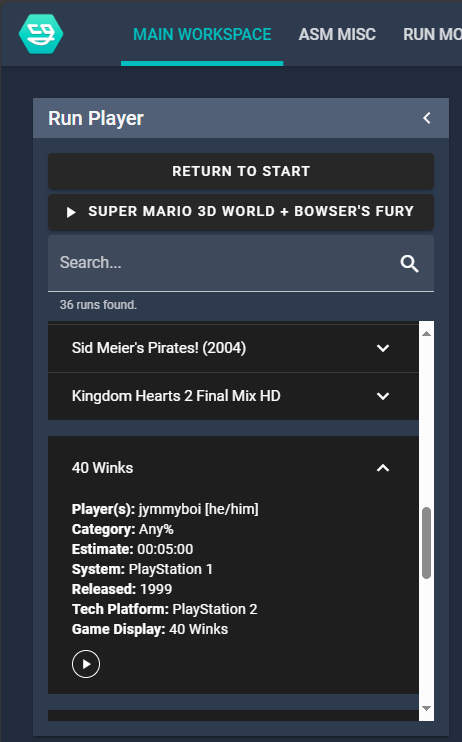
Change the current run
- Go to the Main Workspace tab
- Find the run in Run Player
- Click the run
- Click play
Edit a run
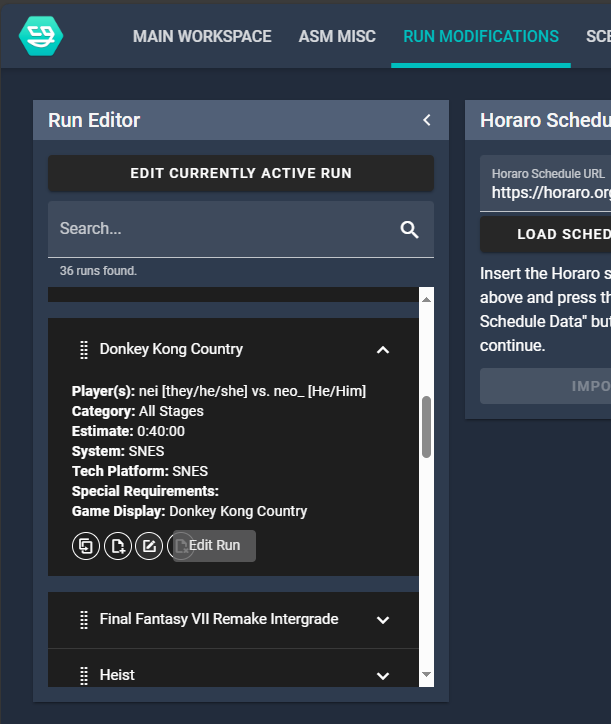
- Go to the Run Modifications tab
- Find the run in the list
- Click the edit button
- Edit the information needed
- Save
Add a run
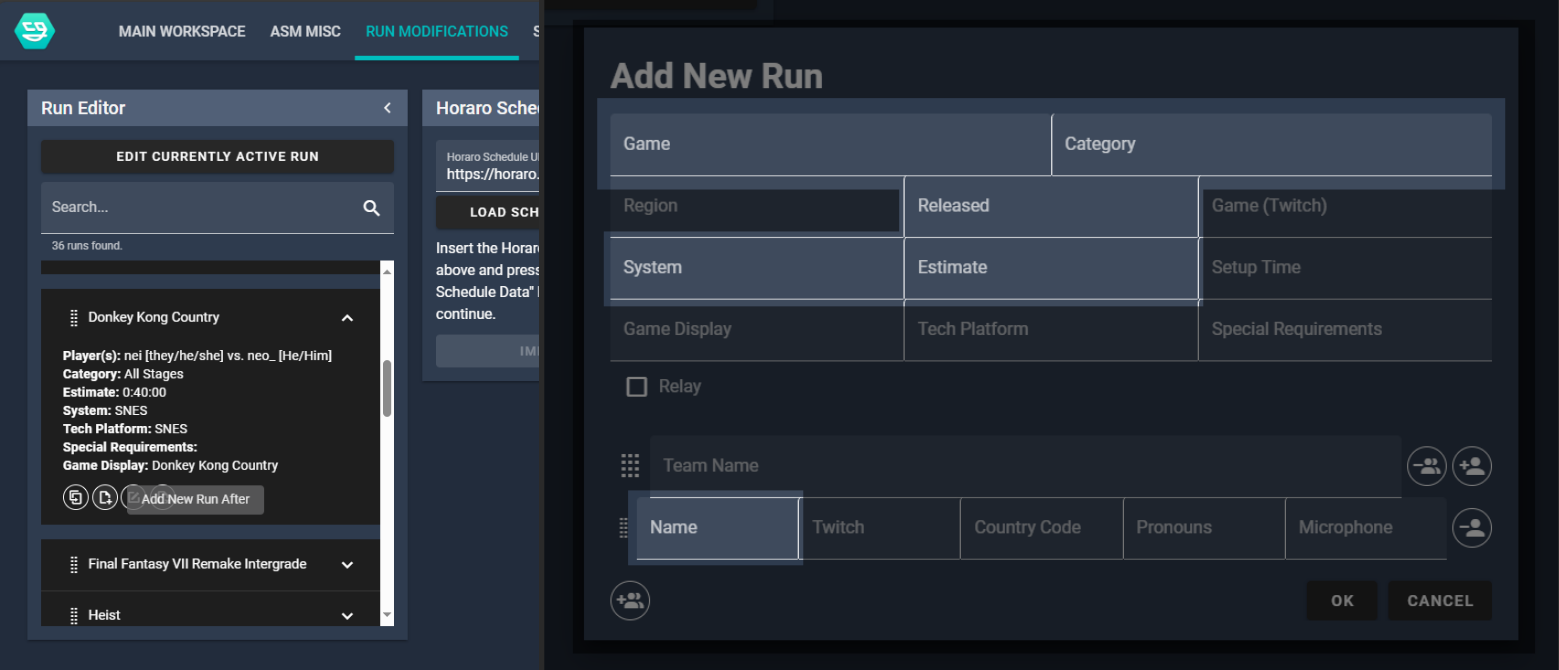
- Go to the Run Modifications tab
- Find where the run will be placed on the list
- On the run before it click the button with the tool tip "Add New Run After"
- Fill in the information for the run
- Save
note
Fields highlighted are the required fields.
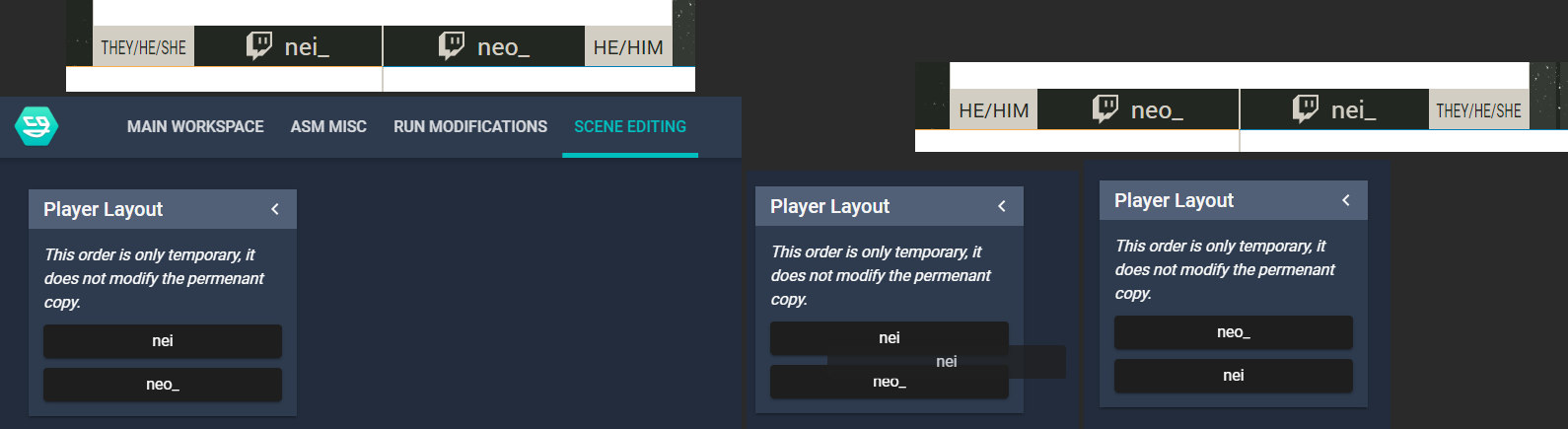
Change the order of names
- Go to the Scene Editing tab at the top.
- Drag the runners names
Change the game audio in a race/coop
Audio is automatically changed when changing the audio indicator on the runner. Try to have the person ahead in a race to have their audio enabled. Don't switch often, it's ok to ask beforehand who will most likely be in front to have their audio on first.
- Go to the "Game Audio" panel
- Select the runner
NodeCG just crashed
The NodeCG bundles are designed to crash and recover automatically. If for whatever reason it is not follow these steps:
- Open a terminal
- Navigate to the Desktop folder and find the NodeCG folder
- Type
node . - If an error appears about an instance already running open Task Manager and kill any "Node.js JavaScript Runtime" processes.
- Try
node .again - If this still fails call Clubwho